
Fruit Ninja Classic
Halfbrick StudiosArcade
3.311.25K Reviews
- Version
- 3.32.7
- Installs
- 10.00M
- Age Rating
- Everyone
Screenshots
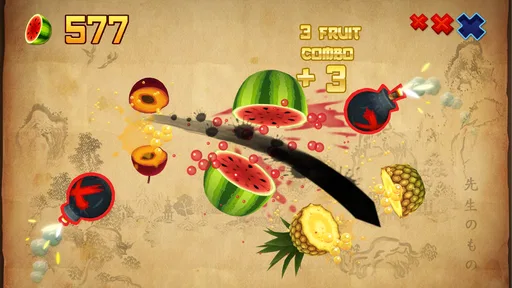

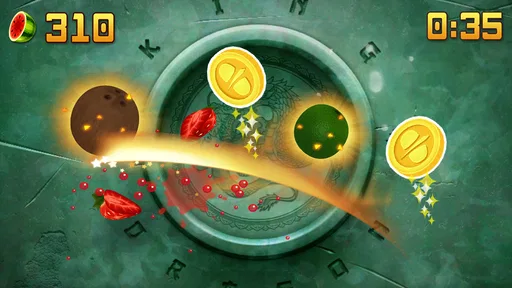
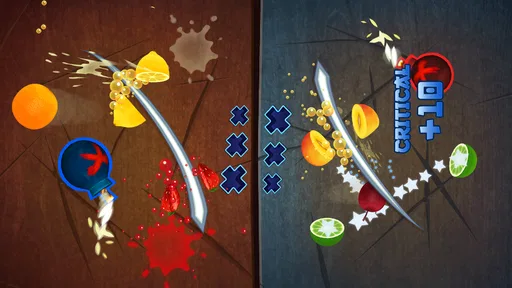
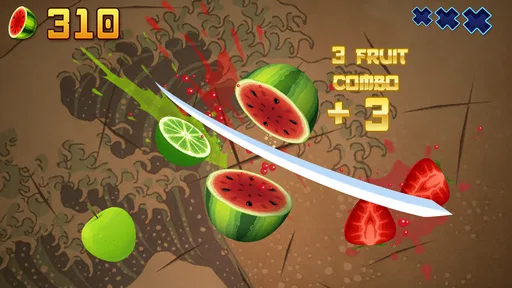

Our Review of Fruit Ninja Classic
 Analysis by Appyee
I still find Fruit Ninja Classic easy to understand within seconds: fruit appears, I swipe across it, and the satisfying slice is the reward. That simple loop is the reason this arcade game from Halfbrick Studios has remained recognizable for so long. It is free to download, rated for Everyone, and works on devices running Android 8.0 or later. The current version is 3.32.7, so it remains a practical choice for people who want a quick game rather than a large, complicated mobile experience.
My overall impression is positive, but not uncritical. The game is at its best when I have a spare minute and want immediate action without learning a long rule set. It is less convincing if I am looking for a deep progression system, a calm experience, or unusually detailed accessibility controls. Its biggest strength is directness: I can open it and play almost immediately. Its biggest weakness is that directness also leaves little room for players who need more control over speed, visual intensity, or touch demands.
How the game communicates what to do
I focus here on how Fruit Ninja Classic makes its basic action understandable without asking players to study a manual. In my experience, that clarity is useful beyond the first round: it lets me decide quickly whether the game’s visual pace and touch demands suit me. The next section looks at what that simple instruction feels like once I’m actually playing.
Readability and navigation
The central interaction is unusually clear. Fruit moves into view, and the expected response is obvious from the first attempt. I do not need to decode a complicated interface before enjoying a round, which makes this a good fit for casual players, children, and anyone borrowing a phone for a quick distraction. The game’s category, arcade, suits that design: the focus is reaction, timing, and repeated short attempts rather than exploration through menus.
Navigation is most comfortable when I treat the game as a pick-up-and-play activity. I can understand the basic rhythm without reading a manual, and the visual action gives immediate feedback when a swipe connects. That matters for players who find text-heavy games tiring or who do not want to remember several rules at once. The experience communicates through movement and response more than through lengthy explanations.
There is also a useful distinction between understanding the game and mastering it. Anyone can recognize the goal, but consistent slicing requires attention to the whole screen and a willingness to accept mistakes. I often begin with broad, confident swipes, then adjust to shorter movements once the action becomes faster or more crowded. That makes the first session approachable while leaving some room to improve through practice.
For a younger player, the straightforward structure is a benefit because the purpose of each round is easy to grasp. For an older player who wants a small mental reset, it avoids the commitment demanded by many modern mobile games. I would not describe the interface as designed around every possible reading need, though. Players who rely on large text, strong contrast, or carefully adjustable visual presentation should check how the game feels on their particular device before deciding whether it is comfortable for extended play.
The game’s popularity gives some useful context without changing my personal assessment. It has passed 10 million installs and holds an average rating of 3.3 from roughly 114 thousand ratings. Those figures suggest a broad audience, but they do not guarantee that its fast visual style will suit every person. I would use them as a sign that the basic concept is widely understandable, not as proof that the interface works equally well for all abilities.
Motor and sensory considerations
The swipe mechanic is both the reason I enjoy the game and the main physical demand it places on the player. It does not ask me to memorize combinations or operate several buttons, but it does require accurate finger movement across a touchscreen. A player with limited reach, tremor, joint pain, or difficulty making quick gestures may find the core action tiring even though the rules are simple.
One practical advantage is that the interaction can feel natural on a phone held in either hand, provided the player can comfortably reach enough of the display. I usually keep my grip loose and use one finger rather than trying to make dramatic arm movements. That small change reduces fatigue and makes the game easier to fit into a crowded commute, a short break, or a quiet moment at home.
However, a broad swipe is not automatically an accessible swipe. The player still needs to notice fruit quickly, judge its path, and coordinate vision with touch. Someone who processes motion slowly may experience the game as stressful rather than relaxing. The same is true for players sensitive to rapid visual changes or bright, busy action. I would avoid recommending it as a soothing game for winding down; its appeal comes from stimulation and quick response.
Sound can also affect comfort, depending on the player’s preferences and surroundings. In a shared room, on public transport, or beside someone who is sleeping, I would use the device’s silent setting or keep the volume low. That does not change the underlying touch demands, but it makes the game more socially practical. A player who needs audio cues to compensate for limited vision may find the experience less suitable if visual tracking is the main way to judge the action.
My best tip for reducing strain is to play in short sessions and stop before the swiping becomes tense. The game encourages repeated attempts because a failed round is easy to restart, but that convenience can lead me to keep going longer than intended. I get more enjoyment when I treat each session as a handful of rounds rather than an endless test of reflexes. This is especially important for children or anyone who experiences hand fatigue quickly.
Situational access in everyday use
The strongest use case is a small gap in the day. I might play while waiting for an appointment, during a brief break from work, or when I want something more active than scrolling. Because the objective is immediately visible, I do not need a quiet room or a long uninterrupted block of time to get started. That makes it more convenient than many arcade games that first ask me to collect resources, follow a story, or complete a tutorial.
It is also a reasonable shared-device game. A friend can pick it up and understand the basic action without asking me to explain a control scheme. In a family setting, that simplicity can help different age groups take turns. Still, I would supervise younger children in the same way I would with any game involving in-app purchases. The game itself is free, while optional purchases range from $2.99 to $99.99 per item, so a device owner should make sure purchase controls match the household’s expectations.
The Everyone content rating makes the game easier to consider for a broad audience, but that rating should not be confused with universal comfort. A child may understand the action yet become frustrated by fast rounds. An adult may enjoy the challenge but dislike the repetitive nature. A player using a phone with a small screen may have less room for comfortable gestures than someone using a larger display. These are not reasons to reject the game outright; they are reasons to match it to the player and the setting.
In a noisy or visually crowded environment, I would expect performance to depend heavily on concentration. The game is not ideal when I need to divide attention between the screen and another task. I would never play while walking, cycling, or handling anything that requires awareness, because the whole design rewards watching the display closely. It works well as a deliberate short break, not as background entertainment.
Compared with puzzle games based on swapping tiles or matching colors, this one asks for more immediate hand-eye coordination and less planning. Compared with endless runners, it keeps the player’s attention centered on a smaller interaction rather than steering a character through a continuous path. I prefer it when I want a quick burst of action. I would choose a slower puzzle alternative for someone who wants to play one-handed at a relaxed pace or who finds rapid movement uncomfortable.
What remains difficult
The main barrier is that the core mechanic cannot be separated from speed and visual tracking. A game can have simple rules and still be demanding physically. Here, the player’s ability to notice an object, move a finger toward it, and complete a swipe in time directly affects success. If those steps are difficult, there is no separate low-motion way to enjoy the central challenge.
Another limitation is repetition. The fruit-slicing idea is immediately rewarding, but it can lose its freshness if I expect a long-term game with varied activities. I would not install it as my only arcade title. It is better as a compact option alongside something slower, more strategic, or more story-driven. Players who enjoy chasing personal improvement may find enough satisfaction in repeated attempts, while players who need constant novelty may move on quickly.
The free entry point is helpful, yet the presence of in-app purchases deserves attention. I appreciate being able to try the basic experience without paying upfront, but the wide purchase range means families should review device settings before handing the game to a child. I would also avoid assuming that spending will solve every frustration. The essential question is whether the slicing itself feels comfortable and enjoyable; purchasing extras is not a substitute for a better fit between the player and the controls.
There is a similar trade-off with device age. Since the game requires Android 8.0 or later, it is accessible to many still-supported phones but not to every older handset. On a compatible phone, the important consideration is not just installation. Screen size, touch responsiveness, brightness, and the player’s preferred grip can make a noticeable difference to comfort. I would test a short session before recommending it to someone with specific motor or visual needs.
I also think the game is a poor choice for anyone seeking a quiet, low-pressure experience. Even when I play casually, the design encourages quick reactions and immediate judgment. That can be energizing after a dull afternoon, but it can also be irritating when I am already tired or overstimulated. In those moments, a turn-based puzzle game or a gentle word game would serve me better.
My inclusive verdict
After spending time with it, I see Fruit Ninja Classic as a clear and approachable arcade game with a narrow but effective idea. Halfbrick Studios keeps the entry barrier low: the objective is understandable, the first interaction is obvious, and a short session can fit into ordinary life. The game is especially suitable for people who enjoy quick visual action, simple touch controls, and the satisfaction of improving a physical skill through repetition.
I would recommend it to a friend who wants a free game for brief breaks and who is comfortable with fast swiping. I would also suggest it for families looking for an easy-to-explain title, with purchase controls configured before children play. The age rating of Everyone supports that broad audience, while the game’s current version and Android 8.0 minimum make it straightforward to consider on a reasonably recent device.
I would be more cautious with players who have limited hand movement, difficulty tracking fast objects, sensitivity to busy visuals, or a strong preference for calm pacing. The game’s simplicity does not remove those barriers. In fact, because slicing is the entire point, there is little room to work around them. A slower arcade or puzzle game may be the more inclusive choice in those situations.
The rating of 3.3 from about 114 thousand ratings reflects a mixed public response, and I think that is fair. The concept is polished enough to remain instantly enjoyable, but its appeal depends heavily on whether rapid touch action is your kind of play. With more than 11 thousand written reviews and a large installed audience, it is clearly familiar to many mobile players, yet familiarity should not be mistaken for a perfect fit.
My final recommendation is simple: try it when you want a focused burst of slicing action, keep sessions short if your hand or eyes tire, and approach the purchase options deliberately. Its real strength is immediate playability, not limitless depth. If that matches what you need from an arcade game, it remains an enjoyable download. If you need adjustable pacing, low-motion controls, or a more restful experience, I would choose a different game rather than trying to force this one to meet needs it was not built around.
Verdict
Strengths of Fruit Ninja Classic
- Simple swipe controls are easy to learn and work well on small screens.
- Short rounds make it ideal for quick breaks or casual play sessions.
- Classic arcade gameplay remains enjoyable without requiring a complex tutorial.
- Multiple fruit types and combos keep slicing action fast and satisfying.
- Runs smoothly on many older Android and iOS devices.
Limitations of Fruit Ninja Classic
- Gameplay can become repetitive after extended sessions.
- Precision slicing may feel difficult on smaller phone displays.
- Some challenges depend heavily on quick reflexes and timing.
- The classic version offers fewer features than newer Fruit Ninja releases.
- Frequent slicing effects may be uncomfortable for players sensitive to motion.
Other Releases by Halfbrick Studios
View All
Fruit Ninja®
Arcade4.4

Jetpack Joyride
Arcade4.4

Dan the Man: Action Platformer
Arcade4.7

Bluey's Quest for The Gold Pen
Adventure4.7
Similar Picks in This Category
View All
Subway Surfers
SYBO Games4.6

Stickman Party 234 MiniGames
PlayMax Game Studio4.6

Subway Princess Runner
Ivy4.4

Temple Run
Imangi Studios4.2

Zombie Tsunami
Mobigame SAS4.6

Stack Ball - Crash Platforms
CASUAL AZUR GAMES4.5
Frequently Asked Questions
What is Fruit Ninja Classic?
Fruit Ninja Classic is the original arcade-style fruit-slicing game for Android and iOS. Players swipe across the screen to cut flying fruit while avoiding bombs and trying to achieve high scores. It is designed for short, fast-paced sessions, making it easy to play casually, although reaching impressive scores requires quick reactions, accurate swipes, and learning how fruit patterns appear.
How does Fruit Ninja Classic gameplay work?
The main objective is to slice as much fruit as possible before missing too many pieces or hitting a bomb, depending on the selected mode. Swiping through several fruits at once can create combos and increase the score. The controls are simple and responsive, but the pace becomes progressively more challenging, so concentration and timing are essential during longer rounds.
Does Fruit Ninja Classic require an internet connection?
Fruit Ninja Classic can generally be played offline after it has been installed, which is useful when traveling or when you do not have reliable mobile data. Some features, updates, advertisements, or platform-related services may require an internet connection. Availability can vary according to the version downloaded and the device, so checking the store listing is recommended before installation.
Is Fruit Ninja Classic free to download?
The price and business model of Fruit Ninja Classic may differ between Android and iOS, as well as between regions and updated editions. Some versions may be paid, while others can include advertising or optional purchases. Before downloading, review the official store page carefully to confirm the current price, included content, advertisements, and whether additional purchases are available.
Is Fruit Ninja Classic suitable for children?
Fruit Ninja Classic is easy to understand and does not require reading extensive instructions, so it can be accessible to younger players. However, parents should check the age rating and store information because advertising, in-app purchases, or online services may be present in some versions. If children use the game, parental controls can help prevent accidental purchases.
Play our best games!


